
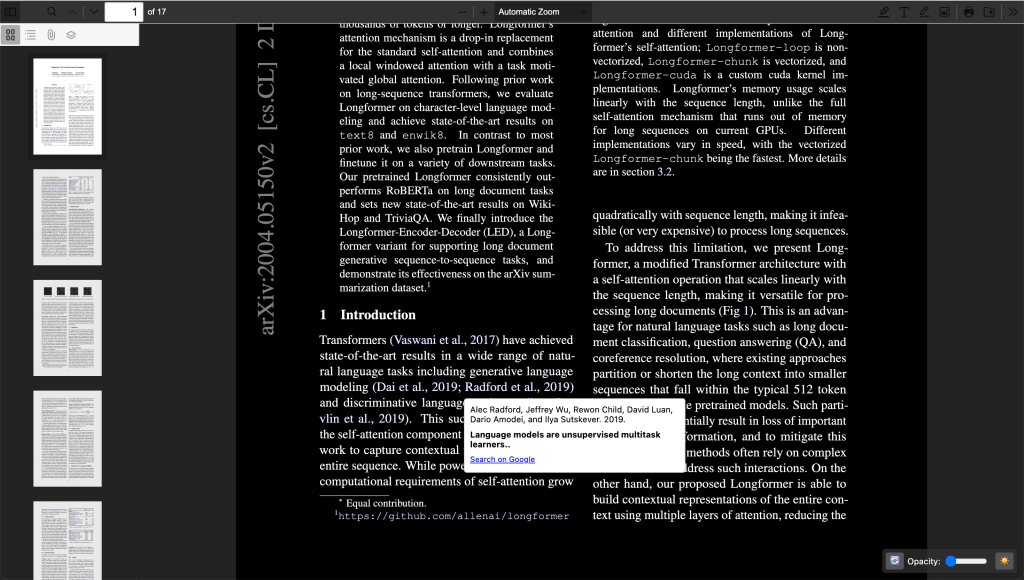
I read a lot of papers. There are a few things that annoy me about reading papers in Chrome:
- Citation references (like [3] or (Smith, 2020)) require you to jump down the paper and lose your place. Why can’t I just hover my mouse and see a quick reference with a link to open the paper?
- ArXiv paper displayed in tabs display the ArXiv ID instead of the paper title. I’m trying to find a specific paper I’ve opened in another tab, but all the tabs just display something like “2004.05150”
- It’s a little aesthetically unpleasant. Dark mode? Background images to make tabs immediately distinct?
Surely there are enough people reading papers that would benefit from some lightweight improvements.
So I built RefDive, a Chrome extension to handle this (demo video).
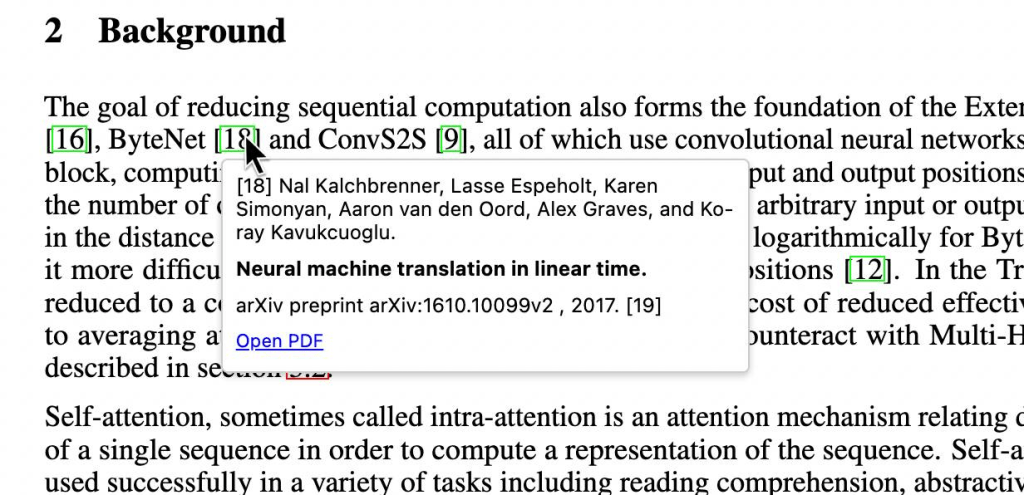
This made for a nice little (heavily LLM-assisted) project. (github)
I’ve never built a Chrome extension, worked on PDF parsing, or built much of anything heavily frontend, so it was an interesting experience. Some thoughts:
Extension publishing
- Registering as an extension developer is $5 and…that’s it. There’s really not as much overhead as I expected. Ask an LLM to produce an extension template project, the rest is pretty straightforward.
- The manifest rules (e.g. permissions) are a little opaque. I wouldn’t want to be on the wrong side of the review process here.
- I was warned about multi-week review periods but initial publish took ~1 week for review approval, updating takes ~2 days.
Product
- The goal was to make this as invisibly lightweight as possible, which I think is correct. The motivation was: I like it now, I just want these two things fixed, and I’m sure others would benefit.
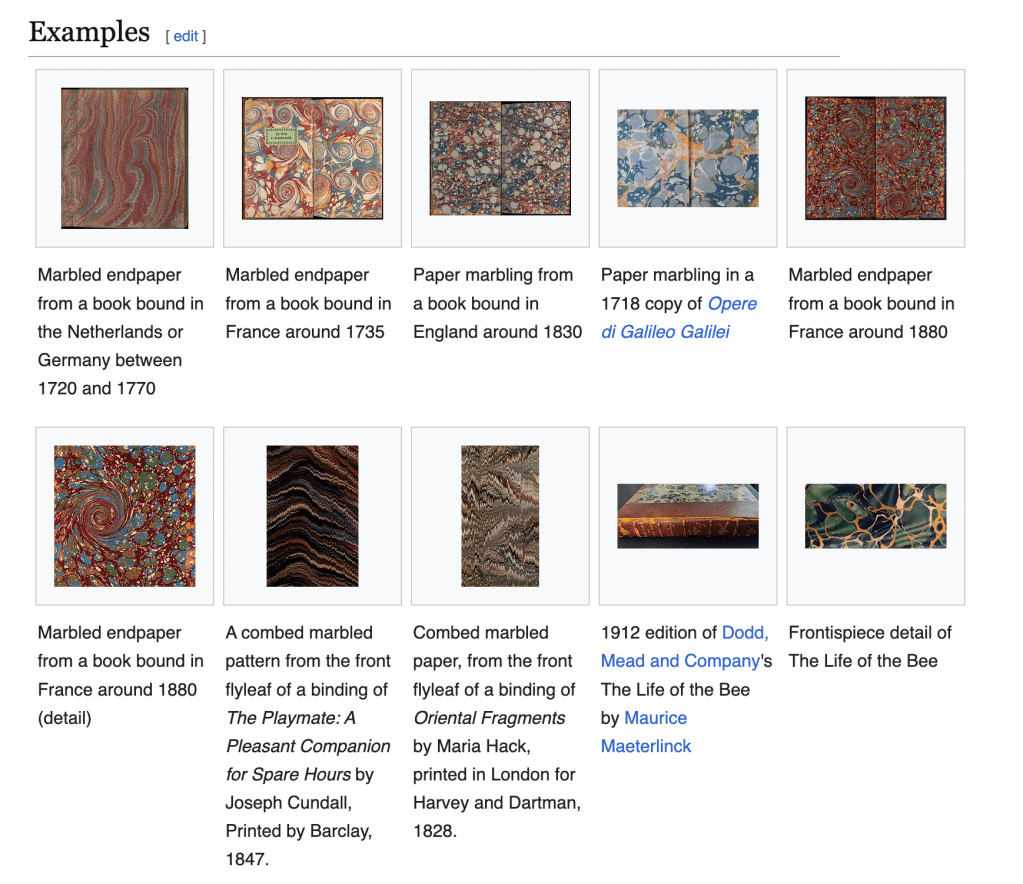
- The only objectionable bell/whistle is custom background. This split users, as I expected. You can refresh the background (randomly sample from a curated set of images) or you can adjust the opacity down to 0, so if it’s not your thing you just remove it. Paper marbling has a long and rich history – it’s worth a look. I find these prints nice to look at in a kind of unobtrusive but pleasing way, and they remind me of reading old books where marbled patterns were used in the flyleaf/endsheet.
- A few more utilities/design choices:
- Should clicking a citation reference still jump you down to the references section?
- Link out to ArXiv PDFs or abstract html page?
- Save preferences (mostly about persisting UI choices)
- Recovery page: if the extension crashes, a page will pop up on reboot and tell you which papers you were viewing
PDF parsing
- PDF parsing is thankless.
- Chrome’s default pdf viewer is not friendly to modification. I tried this approach for a while but it’s actually much easier to repackage and modify an open source pdf reader (mozilla) to override Chrome’s viewer.
- I just need to follow a citation link down to the full citation, extract that text, parse it (split author, title, create hyperlinks, etc.) and display it. How hard can it be?
- Once you’re grounded in how to access and navigate pdf layers, it becomes very whack-a-mole to test and extend coverage to all paper formats: variable margin sizes, number of columns, (x,y) destination of link relative to citation information, etc. Not fun stuff – maybe one day when coding tools have better vision access…
- Citation formats and paper layouts are sufficiently non-standard that the solution looks like:
- 75% of papers are parseable with a few patterns for single-column, two-column papers and
- 90% of papers are parseable with the above plus some diligent enumeration of other paper formats, branching logic,
- Beyond that we introduce endless if branches and checks
- I was able to get somewhere between 75-90% with a few nights of modifications. The long tail is very long.
- Why not use pdf parsing libraries or ML? Introducing server-side tools require some permissions and hoop-jumping, and ML solutions incurs some cost. Additionally, even these tools are not at all perfect.
Upshot: what you should really use
A fun 1-3x weekend project. I looked high and low for an existing extension that satisfied these requirements before building RefDive, but somehow I missed these existing extensions, pointed out to me by someone on twitter:
Google Scholar PDF Reader and arxiv-utils, which when stacked do everything RefDive does (minus background images) but certainly with more fidelity (Google product). Plus, the Google extension gives you free AI-generated summaries of the paper sections – a nice utility I considered, though I do not want to foot the bill and having users enter their own API key strikes me as too Byzantine for a “lightweight chrome extension.”
 Nick Ryan